Tools
As noted on several other pages - Vide is a collection of "tools". Also - it was INTENDED to be a collection of tools.
As such the handling of Vide might at first be strange and not intuitive.
Vide is not solely intended to be an emulator for the vextrex.
Vide is not intended to be used solely as an editor for vectors or an editor for assembler programming.
Vide is not intended solely to be used for debugging.
... (and so on)
Vide is all of the above - and more.
Therefor there is not an easy entry point to vide, since it (by now) can do so much - and depending on what you want vide to be for yourself - the entry point you chose might be entirely different than the one I might chose for you.
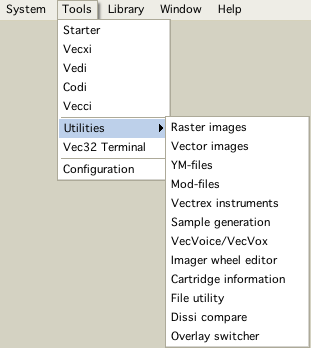
Here are all the "Tools" Vide provides.
Tools
Play a game
If you want to play a "known" game/binary - your best start is to use the tool: Starter.
It provides a list of all known and accessable games - double click on an entry - opens the emulator with the game.
Play a binary
You can also open Vecxi (the emulator) and load a binary from your file system directly. The advantage of using starter however is - that additional information about the game is easily accessed (instructions/homepage/author), also if a game uses additional hardware it might be necessary to let vecxi know befor it starts - this can only be done if a game is defined as a "cartridge" and started via the starter.
Writing your own vectrex game
The tool Vedi is your friend. You can start Vedi (vectrex editor) and build your own vectrex "project'. A project provides you with a ready to go game loop - just fill it with your game.
Also from within Vedi you can access additional tools to enhance your game with (also with generated sources ...) graphics of different kinds, sounds and music.
These are three "main" entry points. The other tools are mostly supportive in nature.
All tools are described in depth within this help. Keep reading :-)!